


Where Is Uber Pick-Up at Sydney Domestic Airport?
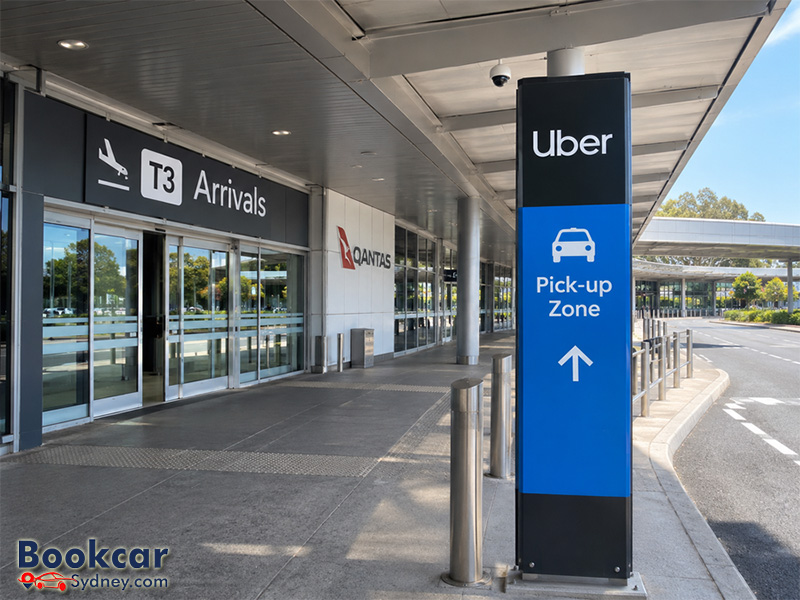
Uber pick-up locations at T2 and T3
The two domestic terminals use different collection points. Check whether your flight arrives at T2 or T3 before following signs outside the terminal.
|
Arrival terminal |
Usual Uber pick-up point |
What to look for |
|
T2 Domestic |
Priority Pick-up Zone near P2 |
Green Priority Pick-up signs from Arrivals |
|
T3 Domestic |
Dedicated Uber kerbside zone outside Arrivals |
Uber pick-up signs outside the terminal |
The T2 location applies to most Uber ride types, but Uber Premier has a different designated kerbside limousine pick-up area. Your confirmed trip’s in-app instructions take priority.
Where to catch Uber at T2 Domestic
For a standard Uber pick-up at Terminal 2, head to the Priority Pick-up Zone rather than waiting at the kerb directly outside the terminal. This zone sits in the domestic ground-transport precinct near the P2 car park, between the domestic terminal areas.
- After landing, collect your bags and make your way to the Arrivals exit at T2.
- Follow the green signs and lighting marked “Priority Pick-up”. Continue along the marked pedestrian route to the designated waiting area.
- Request your ride in the Uber app, or open your existing booking, and use “Directions to pickup” to confirm the assigned meeting point.
- Check the driver’s name, vehicle and registration details in the app before getting in.
Do not confuse Priority Pick-up with the Express Pick-up area, which is intended for people collecting arriving passengers by private car. The official domestic precinct map shows these as separate areas.
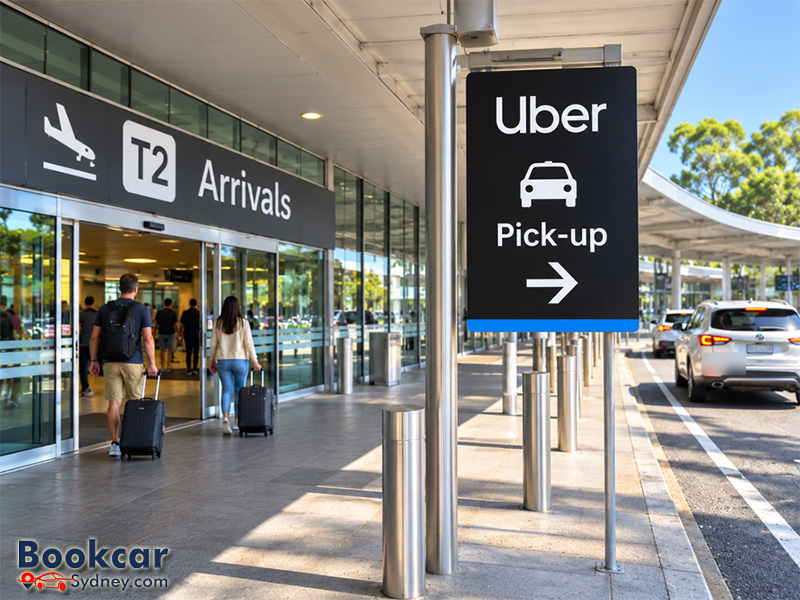
Where to catch Uber at T3 Domestic
At Terminal 3, Uber has a dedicated pick-up area at the kerb directly outside the Arrivals level. T3 is the Qantas domestic terminal, and you do not normally need to walk to the T2/T3 Priority Pick-up Zone for an Uber trip from T3.
- Follow signs from your arrival gate to baggage claim and the terminal exit.
- Leave the terminal on the Arrivals level and look for signs identifying the Uber pick-up zone.
- If you come out near the taxi rank, turn left and continue along the kerb past the taxi rank towards the Uber zone.
- Use the pick-up directions shown for your booked ride and meet the vehicle in the allocated area.
The dedicated Uber kerbside area is different from the taxi rank. Other rideshare operators generally use the Priority Pick-up Zone instead.
How to confirm the exact meeting point in the Uber app
Airport pick-up locations can vary by terminal, ride product and operational conditions. Uber recommends checking directions again after a driver has accepted your request, because the instructions shown before booking may be more general.
- Open Uber and enter your destination, making sure Sydney Airport is set as the pick-up location and the correct terminal is selected.
- Choose your ride and check the displayed fare before confirming the request.
- Once matched, select “Directions to pickup” for the route to your assigned collection point.
- If you cannot find the driver, use the app to contact them rather than arranging a stop at an undesignated kerbside location.
For additional orientation, use the Sydney Airport domestic precinct map and Uber’s airport pick-up guide. The route and pick-up bay shown for your actual ride in the app are the most useful final checks.
What about Uber Premier and other rideshare services?
At T2, Uber’s driver guidance specifies a designated kerbside limousine pick-up area for Uber Premier. Other T2 Uber products use the Priority Pick-up area. At T3, Uber pick-ups take place at the dedicated kerbside Uber zone.
If you book a different rideshare provider rather than Uber, Sydney Airport directs passengers to the Priority Pick-up Zone. Check your provider’s booking instructions rather than assuming its driver can use the T3 Uber kerbside area.
Airport access fees and pick-up tips
Sydney Airport charges an access fee for Uber pick-ups, which Uber says is automatically added to the fare. The trip price also depends on your ride type, destination, traffic conditions and demand. Check the price in the app before booking; do not assume the Express Pick-up zone’s free private-car waiting period applies to Uber.
Keep your phone available after you land, and allow enough time to collect your luggage before arranging to meet the driver. For large bags or a group, choose an appropriate vehicle type and check capacity with the driver where necessary.
Latest Insights
- How to Get to and from Sydney Domestic Airport
- Where to Drop Off Passengers at Sydney Domestic Airport
- Where Is the Drop-Off Area at Sydney Airport Terminal 2?
- Where Is the Drop-Off Area at Sydney International Airport?
- Where to Drop Off Passengers at Sydney Airport
- Where Are the Taxi Ranks at Sydney Airport?
