


Where Is Uber Pick-Up at Sydney International Airport?
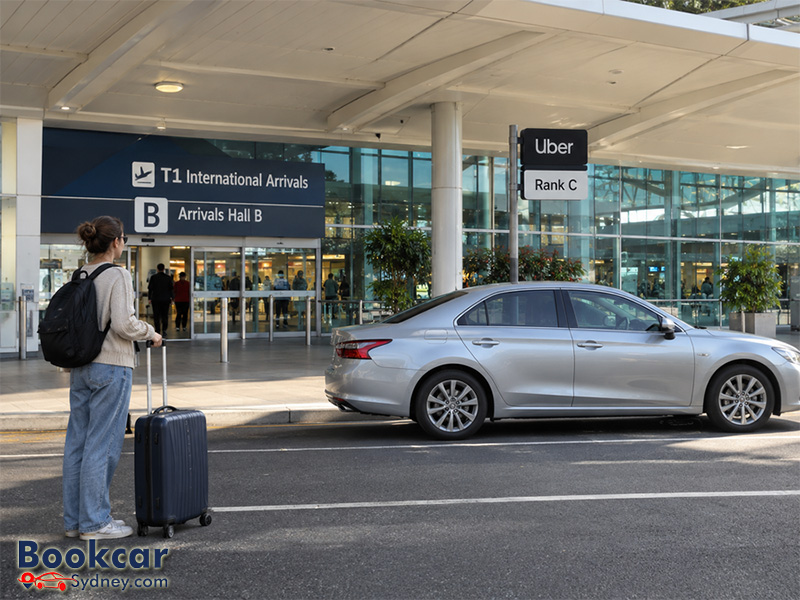
Where is the Uber pick-up point at Terminal 1?
The Sydney International Airport Uber pick-up area is on the Arrivals level at T1, close to the terminal doors. It is not one single rank for every Uber ride.
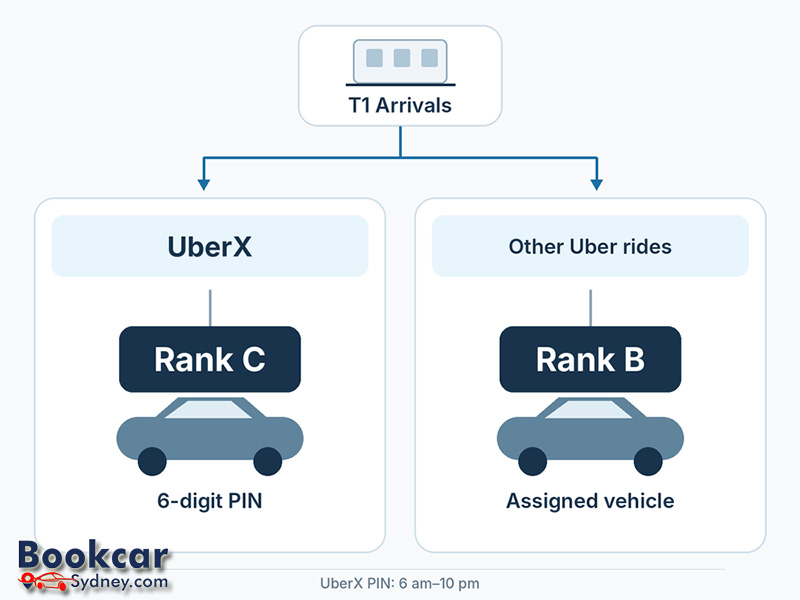
- UberX: Rank C, approximately 20 metres outside Arrivals Hall B. This is the designated UberX PIN pick-up rank during PIN operating hours.
- UberXL, Uber Green and premium Uber services: Rank B. These bookings use an assigned vehicle rather than the UberX PIN queue.
Both ranks serve the international terminal. Do not head to the P7 car park or the separate rideshare waiting area simply because you have booked an Uber. Use the Uber signs and the directions for your specific ride in the app.
How to reach the Uber ranks from International Arrivals
You can find the ranks after collecting your baggage and completing the arrival formalities. The closest landmark for UberX is Arrivals Hall B.
- Complete passport control, collect your checked bags and clear customs and biosecurity.
- Enter the public Arrivals area and look for signs directing passengers to Uber pick-up. If you emerge through Arrivals Hall A, use the terminal wayfinding signs to find the appropriate Uber exit rather than leaving by an arbitrary roadside door.
- For UberX during PIN operating hours, follow the Uber signs towards Rank C outside Arrivals Hall B. For UberXL, Uber Green or premium services, use the directions to Rank B.
- Once at the correct rank, follow the app instructions and any directions from airport kerbside staff.
The airport’s official T1 International Arrivals map shows the Uber area in relation to Arrivals Hall B, the taxi rank and nearby transport facilities. Its exact walking route may depend on which arrivals exit you use.
How UberX pick-up works at Sydney International
UberX uses a six-digit PIN system at T1 during its operating hours. Instead of looking for a particular pre-assigned car, you join the UberX pick-up queue and match with an available driver at the rank.
- Open the Uber app after you have arrived and are ready to travel, then request an UberX ride from Sydney Airport T1.
- Check the six-digit PIN shown for your booking and follow the app’s directions to the UberX rank.
- At Rank C, go to the first available UberX vehicle as directed, or join the passenger queue when the area is busy.
- Give the driver your PIN so they can match the trip in their app. Confirm the trip and vehicle details before getting in.
Uber states that the T1 PIN system operates daily from 6 am to 10 pm. Outside those hours, normal UberX trip requests apply rather than the PIN queue. Follow the current pick-up instructions displayed in your app; do not assume that the daytime queue process is operating late at night.
Where do UberXL, Uber Green and premium rides pick up?
UberXL, Uber Green and Uber premium bookings are directed to Rank B at T1. These rides do not use the UberX six-digit PIN process. Instead, the app assigns a specific vehicle and displays the details needed to identify it.
Check your selected ride type before following the signs. If you change from UberX to a different Uber product, recheck the pick-up instructions because the correct rank can change. Match the driver and number plate with the details in the app before entering the vehicle.
Tips for a smooth Uber pick-up at T1
- Choose Terminal 1 International as your airport pick-up terminal; T2 and T3 are the separate domestic terminals.
- Wait until you have collected your luggage and are nearly ready to leave the terminal before requesting an on-demand trip.
- Use “Directions to pickup” in the Uber app after booking. It provides instructions for your actual trip and is more reliable than a generic map pin.
- Check your displayed fare before confirming. Uber says Sydney Airport applies an access fee to Uber pick-ups and includes it in the app fare.
- If you need assistance or cannot see the right rank, ask an airport kerbside staff member rather than arranging a pick-up on an unapproved stretch of road.
What if your Uber pick-up location looks different?
If the app directs you somewhere other than the rank you expected, check that you selected T1, confirm your Uber ride type and read the current pick-up directions. Reserved trips, late-night bookings and changes to airport operations may affect the meeting instructions. Follow the instructions for your booking and any directions from airport staff.
Latest Insights
- How to Get to and from Sydney Domestic Airport
- Where to Drop Off Passengers at Sydney Domestic Airport
- Where Is the Drop-Off Area at Sydney Airport Terminal 2?
- Where Is the Drop-Off Area at Sydney International Airport?
- Where to Drop Off Passengers at Sydney Airport
- Where Are the Taxi Ranks at Sydney Airport?
