


Finding Domestic Flight Arrivals at Sydney Airport
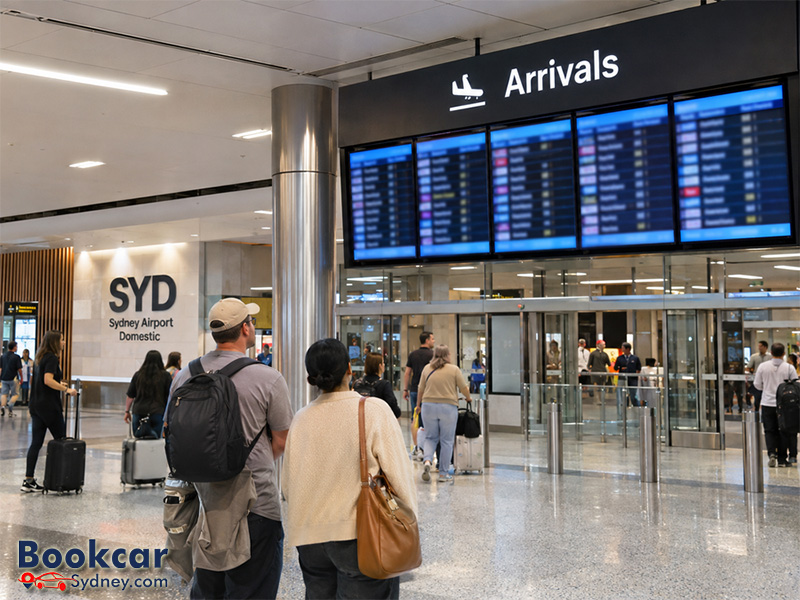
Where to check the latest domestic arrivals
The simplest place to check incoming flights at Sydney Kingsford Smith Airport (SYD) is the airport’s official flight information page. Its domestic arrivals listing covers flights using both domestic terminals, so you do not need separate websites for T2 and T3.
Open Sydney Airport’s flight listing and follow these steps:
- Select Arrivals rather than Departures.
- Choose Domestic rather than International.
- Enter the flight number, departure city or airline in the search field, or browse the arrivals listed for the relevant date.
- Check the terminal, scheduled arrival time, estimated time and current status for the matching flight.
A flight number is usually the most reliable search term, particularly when several flights arrive from the same city. Check the travel date as well: a flight number may be used on more than one day.
If you are already at the airport, consult the flight information screens in the terminal. Sydney Airport advises travellers to check those screens for regular updates and does not guarantee that the online listing will always be accurate or current.
Which terminal handles the arriving flight: T2 or T3?
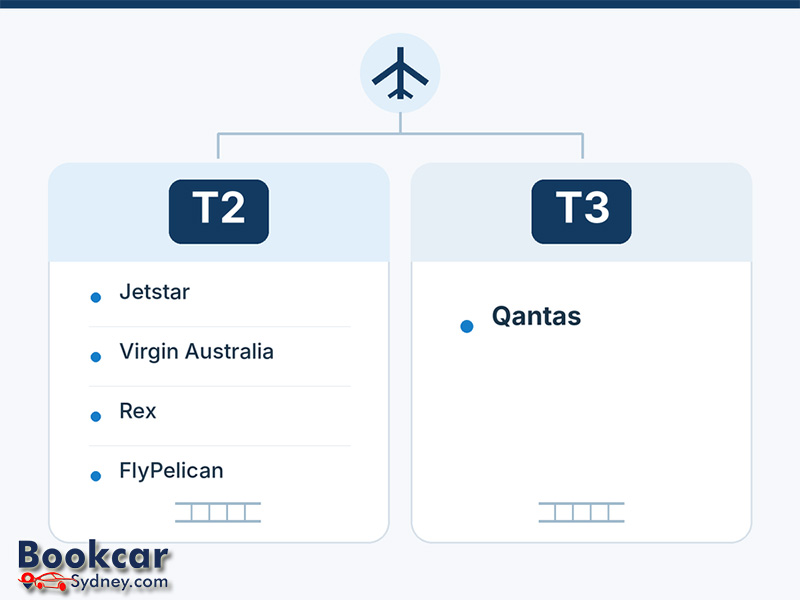
Sydney Airport has two domestic terminals. The correct arrivals hall depends on the airline operating the flight, not simply on the city it departed from.
|
Domestic arrivals terminal |
Airlines normally using it |
|
T2 Domestic |
Jetstar, Virgin Australia, Rex and FlyPelican |
|
T3 Domestic |
Qantas |
This allocation reflects an important recent change: from 4 November 2026, Rex and FlyPelican services arrive at and depart from T2. Older guides may still associate those airlines with T3. Qantas remains at T3, while Jetstar and Virgin Australia use T2.
For a codeshare booking, the airline named on the ticket may differ from the carrier operating the aircraft. Use the flight details and the terminal shown for the specific service rather than relying on an airline name alone. If there is a discrepancy, confirm with the operating airline.
How to read the arrival time and flight status
The scheduled arrival time is the published timetable. The estimated arrival time is the updated prediction for that flight and may move earlier or later as conditions change. The status tells you how far the flight has progressed or whether its timetable has been disrupted.
- Scheduled or on time: the service is expected to operate according to its current published information.
- Delayed: the expected arrival is later than originally scheduled; use the latest estimate rather than the original time.
- Landed or arrived: the aircraft has reached Sydney, but the passenger may not yet be outside the terminal.
- Cancelled: the service is not operating as planned; contact the airline for passenger-specific arrangements.
The exact wording may vary between airline and airport systems. A status of “landed” is not a promise that someone is ready for collection. Aircraft disembarkation, walking to the arrivals area and collecting checked baggage can all add time after touchdown.
For someone collecting a passenger, the most useful combination is the correct flight number, the current estimated arrival time and confirmation from the traveller once they have collected their bags.
What to do when a flight is missing or its details change
First, confirm that Domestic and Arrivals are selected, then try the flight number without spaces or search using the airline and origin city. If the flight is not listed, check that the date is correct and that you have the operating flight number rather than only a codeshare number.
Airlines are the best source for decisions about rebooking, cancellations and changes to an individual reservation. The airport’s flight listing is useful for monitoring the arrival, while the airline can confirm what a disruption means for the passenger’s journey.
If the flight page offers a “Stay updated” option, you can use it to follow changes rather than repeatedly searching. Keep in mind that flight information can change close to arrival, so check again shortly before leaving for the terminal.
Meeting someone at T2 or T3 after arrival
The arrival terminal shown on the flight listing tells you which building to head towards. Passengers follow signs for baggage reclaim and then exit into the public arrivals area. Agree on a meeting point or send a message before the traveller leaves the terminal, especially if you are arriving separately.
For drivers, the arrivals hall and the vehicle collection zone are not necessarily the same place. Sydney Airport has a dedicated domestic passenger pick-up guide explaining its Express Pick-up, Priority Pick-up and short-term parking options for T2/T3. Follow the signs for the collection option you are using rather than assuming you can stop outside the arrivals doors.
The airport’s domestic Express Pick-up zone currently allows one free entry of up to 15 minutes per calendar day. Because conditions and availability may change, check the official pick-up information before you drive in.
