


Today's Domestic Arrivals at Sydney Airport

Where to check today's domestic arrivals
The most direct place to check is Sydney Airport’s official flight listing. Select Arrivals, then Domestic, and make sure the date displayed is today. The results cover domestic flights arriving at Sydney Airport (SYD), rather than international arrivals at T1.
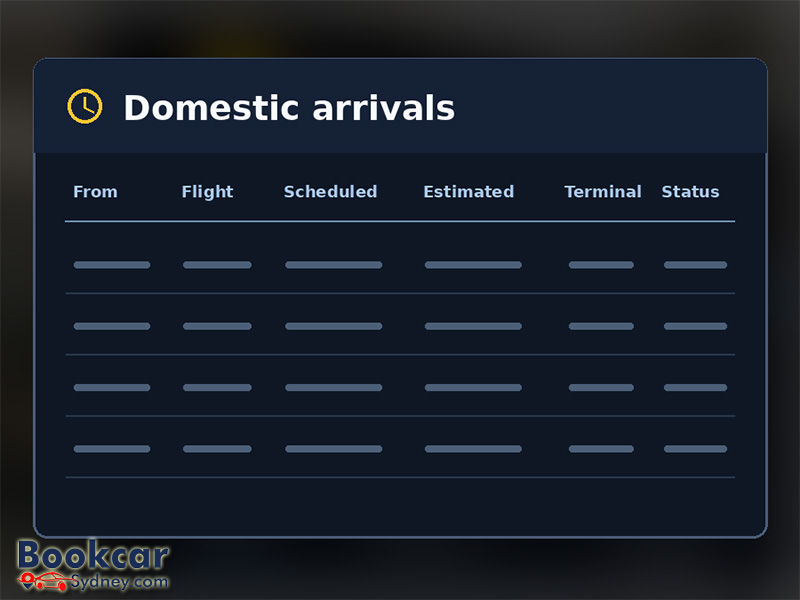
The listing includes the origin city, airline, flight number, terminal, scheduled arrival time, estimated arrival time and status. You can search by flight number, city or airline if you do not need the full day's list. Use the option to show earlier flights when you want to check an arrival from earlier in the day.
Because arrival details can change while an aircraft is in the air, check the listing again shortly before travelling to the airport. The page is a live information source; a timetable copied into an article or saved as a screenshot will not stay current.
What the arrival times and status mean
The scheduled arrival is the time originally published for the flight. The estimated arrival is the latest expected time shown in the listing. If the estimate moves later than the scheduled time, the flight may be delayed. The status field provides a further indication of how the flight is progressing, including whether it has arrived or been cancelled when that information is available.
An estimated arrival time is not a promise that passengers will be outside the terminal at that minute. Even after the aircraft lands, it must reach its parking position, passengers need to disembark, and anyone with checked luggage must collect it. Allow for those steps when arranging to meet someone.
Sydney Airport cautions that its online information may not always be accurate or timely. If you are already in the terminal, use the airport's flight information screens for updates. For a material delay, cancellation or a change affecting a booking, check the operating airline's official flight-status information as well.
Which domestic terminal should you check?
Sydney Airport has two domestic terminals: T2 and T3. The airport currently lists Jetstar, Virgin Australia, Rex and FlyPelican domestic arrivals at T2, while Qantas domestic arrivals use T3. Domestic arrival details should be checked against the individual flight listing, particularly when another airline's flight number appears on the booking.
The terminal shown for the flight matters more than an assumption based on the route. If you are collecting someone, confirm T2 or T3 before choosing where to wait. T1 is the international terminal and is not the normal destination for a domestic-sector arrival listed under Domestic.
How to look up one incoming flight
- Start with the flight number on the passenger's itinerary, such as the airline code followed by its flight number. Enter it into the airport's flight search field.
- If you do not have the flight number, search for the departure city or airline and compare the results with the passenger's planned arrival time.
- Check the origin, operating airline, terminal and latest estimate together. Several flights can arrive from the same city on the same day.
- If the ticket shows a codeshare flight number that does not return the expected result, try the flight number of the airline actually operating the aircraft.
A flight appearing more than once under different airline codes does not necessarily mean several aircraft are arriving. Matching the operating flight and its origin helps avoid confusion.
Planning a domestic airport pick-up
Check the estimated landing time before you leave, then ask the arriving passenger to message you once they have collected their luggage and are ready to exit. This is more reliable than treating the landing time as a precise meeting time.
Sydney Airport provides an Express Pick-up area for T2/T3 domestic arrivals, a short walk from the terminals, as well as other pick-up and parking arrangements. Follow the signs for your chosen area and check the airport's current pick-up instructions before driving in. Pick-up arrangements may vary according to the service or vehicle you are using.
If a flight is delayed, cancelled or missing from the list
Refresh the airport listing and search again using the flight number rather than the city alone. Check that Arrivals and Domestic are selected and that you are viewing the intended date. The option to show earlier flights may help if the flight was due to arrive earlier.
If the result remains unclear, consult the operating airline's own flight-status page or contact the airline. A missing result on the airport website is not, by itself, confirmation that a flight has been cancelled. Where the airport and airline differ, rely on direct updates from the airline for passenger-specific arrangements and recheck the terminal screens on arrival.
