


How to Track Sydney Airport Flights on a Live Map
- Where to see live aircraft near Sydney Airport
- How to find and follow a specific Sydney flight
- What the live flight map actually shows
- Live aircraft position is not the same as flight status
- Why a flight can be missing, delayed or mislabelled on the map
- Using a flight tracker when picking someone up
- A simple way to choose the right source
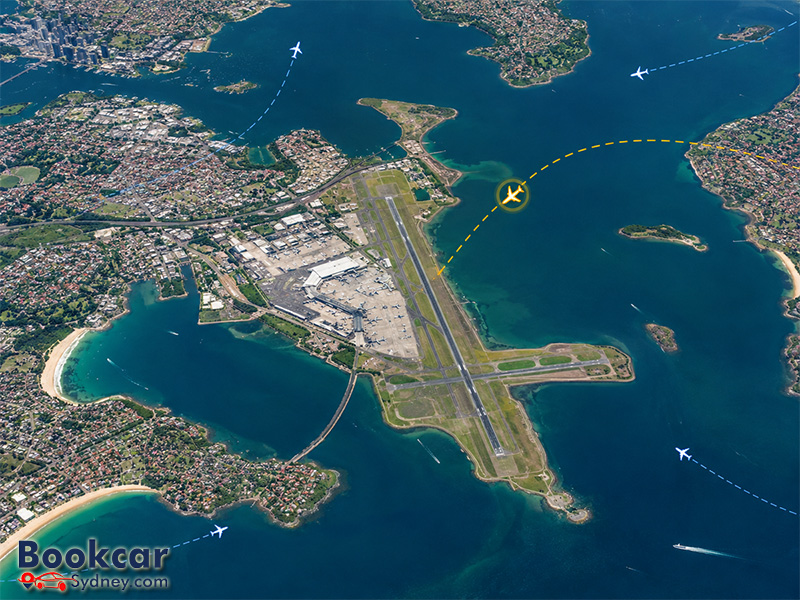
Where to see live aircraft near Sydney Airport
Two established services let you view aircraft moving around Sydney Kingsford Smith Airport, including planes approaching the runway and those climbing away after departure. The airport's codes are SYD (IATA) and YSSY (ICAO); either can help you find the right location on an aviation tracking service.
Flightradar24 has a Sydney Airport page with arrivals, departures and a link to its live aircraft map. Use it to select a flight or explore nearby aircraft.
FlightAware provides an airport flight-tracking page for YSSY, alongside arrival and departure listings. You can also search for an individual flight.
If you want scheduled and estimated flight times rather than moving aircraft icons, use the Sydney Airport flight information page. A flight map and an airport arrivals board answer related but different questions.
How to find and follow a specific Sydney flight
When you know the airline and flight number, searching for that flight is more reliable than guessing which aircraft icon is yours.
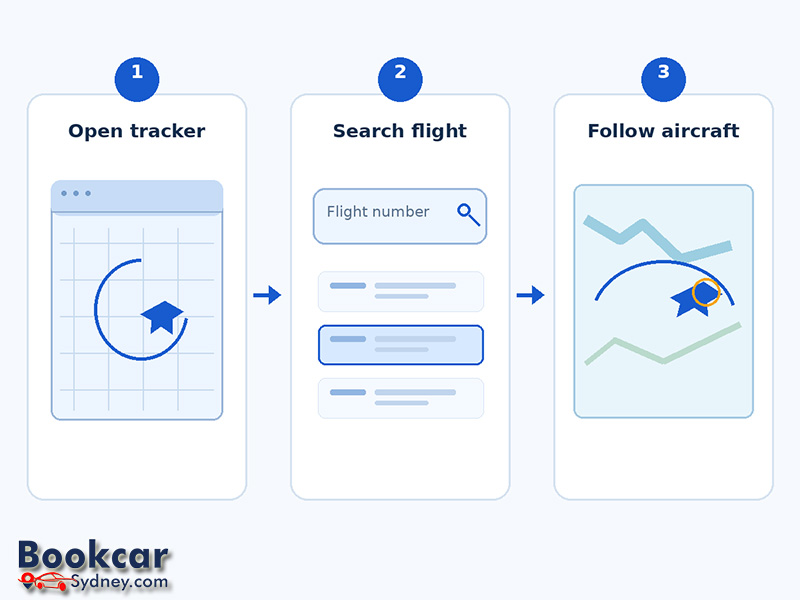
- Open a live tracker such as Flightradar24 or FlightAware on your phone or computer.
- Enter the flight number, or search for Sydney Airport using SYD or YSSY to open the airport's arrivals and departures.
- Choose the matching flight. Check the date, origin or destination and airline, especially if several results appear.
- Open the map view for that aircraft. When tracking data is available, the map centres on its reported position and updates as further positions are received.
- If the flight has not appeared on the map, check the flight listing and try again later rather than assuming it has been cancelled.
For example, when meeting a passenger arriving from Melbourne, start with the flight number shown on their itinerary. Confirm that Sydney is the destination before following the aircraft's approach. If an itinerary uses a codeshare number, you may need to look for the operating airline's flight number instead.
What the live flight map actually shows
A moving aircraft symbol marks a reported or estimated position, not a camera view of the plane. Depending on the service and available data, selecting it can reveal the aircraft's route, heading, altitude, ground speed, callsign and recent track. The trail shows positions already recorded; it is not necessarily the exact route the aircraft will follow next.
An arrival may appear to descend towards Botany Bay or turn onto an approach, while a departure moves away from the airfield and climbs. These movements help you understand where the aircraft is, but the displayed position may update with a short delay. A flight heading towards Sydney has not necessarily received clearance to land, and a plane shown near a runway should not be treated as a confirmed touchdown.
Live aircraft position is not the same as flight status
An aircraft track is particularly useful for seeing whether a plane is airborne and how far it has progressed. It does not replace the published status of the service, which can change because of delays, diversions, cancellations or operational decisions.
Sydney Airport’s official flight information lets you search by flight number, airline or city and view scheduled and estimated times, terminal details and status for arrivals and departures. Check the airline as well for important changes or passenger instructions.
For arrivals, distinguish the aircraft's landing from a passenger being ready to meet you. Taxiing, disembarkation, baggage collection and, for international arrivals, border procedures may all take additional time. The plane reaching the airport is only one part of the passenger's journey.
Why a flight can be missing, delayed or mislabelled on the map
Public trackers combine aircraft broadcasts with other data sources. Flightradar24, for example, uses ADS-B and other tracking methods, and matches aircraft identities against flight schedules. Coverage is extensive, but it is not complete or infallible.
- The aircraft may be outside usable reception coverage, or its equipment may not supply a compatible signal.
- The aircraft may be on the ground, not yet operating the flight, or absent from the live map despite a scheduled listing.
- Some operators restrict the visibility of certain aircraft or tracking information.
- A flight number, callsign or route may be missing or mismatched because the tracker cannot confidently connect its position data to a published schedule.
- The display can temporarily lag, show an estimated position or contain an incorrect movement or route association.
If you cannot locate a flight, search by the operating airline and flight number, then compare the result with the airport's flight board. Do not interpret a missing plane icon as proof of a cancellation or an emergency.
Using a flight tracker when picking someone up
A map can give you a helpful sense of whether an arriving aircraft is still en route or nearing Sydney. For a practical pickup, check the airport's estimated arrival time and flight status as well, then allow for the passenger's progress through the terminal.
If you are collecting someone at T1 International, allow for immigration, baggage and biosecurity checks where applicable. For domestic arrivals at T2 or T3, the time required may be shorter, but baggage collection and reaching the pickup point still vary. Arrange a clear meeting place and stay in contact with the passenger instead of relying on an aircraft icon to decide the exact pickup minute.
A simple way to choose the right source
Use a live aircraft map when the question is ‘Where is the plane now?’ Use the Sydney Airport arrivals or departures page when the question is ‘What is the flight's latest published time or status?’ For instructions that affect the passenger's booking, check directly with the operating airline.
Used together, these sources give a more dependable picture: the map shows the aircraft's movement; the airport board shows the flight's operational listing; and the airline handles passenger-specific updates.
