


How to Check Sydney Airport Flight Delays and Cancellations
- Check Sydney Airport’s live arrivals and departures
- Confirm the flight status with your airline
- Understand the status and time fields
- Get flight alerts instead of repeatedly refreshing the page
- What to do if your Sydney flight is delayed or cancelled
- Check broader airport disruptions without confusing them with your flight
Check Sydney Airport’s live arrivals and departures
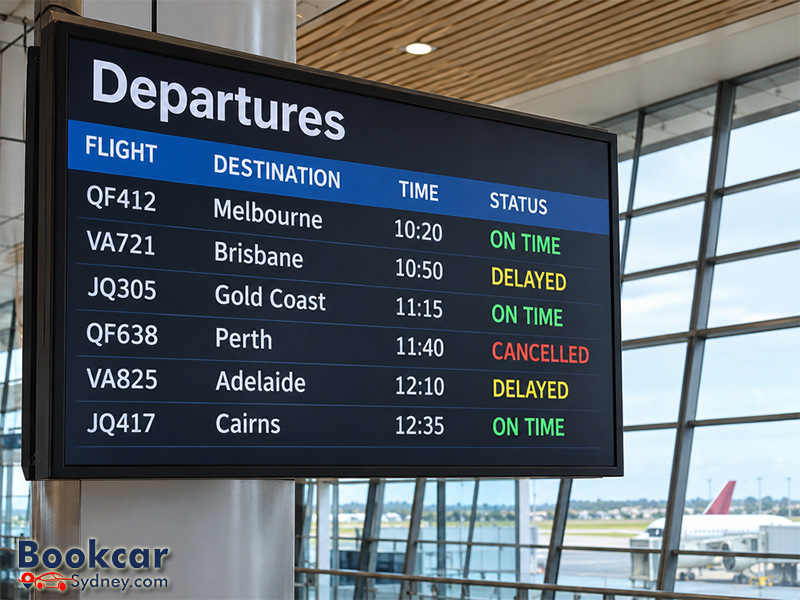
The official Sydney Airport flights page lists domestic and international arrivals and departures, with flight numbers, terminals, scheduled and estimated times, and current statuses. This is the most direct place to check which Sydney flights are cancelled today.
- Open the official flight listing and select Arrivals or Departures.
- Choose Domestic or International and confirm the correct travel date.
- Enter a flight number, destination or origin city, or airline in the search field.
- Match the result to the flight number and route on your itinerary. Read the status and compare the scheduled time with the estimated time.
- Open the flight details or request updates when available, and check again closer to travel.
For a departure from Sydney, use the departures view; for someone flying into Sydney, use arrivals. If your flight does not appear, recheck the date, flight number and direction, then consult the airline. Some reservations carry a codeshare number that differs from the number of the airline operating the aircraft.
The airport cautions that its flight information may not always be complete or timely. Once you are in the terminal, also follow the flight information screens and announcements.
Confirm the flight status with your airline
The airport board is useful for a quick overview, but the operating airline is the primary contact for a confirmed cancellation, revised departure, rebooking and any help linked to your reservation. Check your airline’s flight status service and the email or mobile number attached to your booking.
Useful official starting points include Qantas flight status, Virgin Australia flight status and Jetstar disruption and flight-status guidance. For other airlines, use their own website or app rather than an unfamiliar third-party link.
When two airlines share a codeshare service, check which carrier actually operates your flight. If the airport board and a third-party flight tracker disagree, verify the current operating status with that airline before changing travel arrangements.
Understand the status and time fields
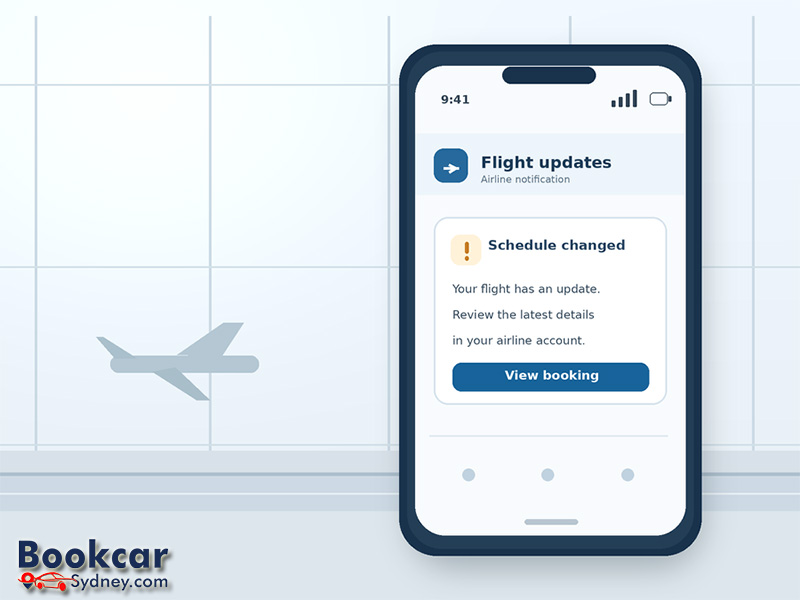
A flight’s status and its estimated time answer different questions. The status indicates the reported stage of the service; the estimated time is a forecast and may change again.
|
Displayed information |
What it means for the traveler |
|
Scheduled time |
The originally published flight time; compare it with later estimates. |
|
Estimated or expected time |
The currently projected arrival or departure time, not a guarantee. |
|
On time |
The flight is currently reported as operating to schedule; continue monitoring. |
|
Delayed / expected later |
The timing has changed or is projected to change; confirm airline instructions. |
|
Cancelled |
The listed service is not operating as scheduled; contact the airline for your booking options. |
|
Departed / arrived |
The flight has left or reached its destination, respectively. |
A later estimated time does not necessarily tell you why the delay happened or when you should check in. Do not assume check-in or bag-drop deadlines have moved unless your airline explicitly confirms a change.
Get flight alerts instead of repeatedly refreshing the page
Sydney Airport offers flight updates from its flight listing, including messaging options such as WhatsApp or Messenger. Select the relevant flight and use the available update option. Airlines may also send booking-specific notifications through their apps, email or SMS.
- Make sure your airline has your current mobile number and email address.
- Enable notifications for the operating airline’s app if you use it.
- Check messages again before leaving for the airport and during major weather disruptions.
- Once at the terminal, follow the screens, gate announcements and airport staff.
Treat an alert as a prompt to recheck the latest details: a flight can be delayed more than once, moved to a different gate or ultimately cancelled.
What to do if your Sydney flight is delayed or cancelled
First, establish whether the flight is delayed, rescheduled or cancelled. Then use the airline’s official booking-management channels for the options available on your specific ticket.
- Open the airline’s app or Manage Booking page and look for an updated itinerary or disruption instructions.
- Check any offered alternative flight, travel credit or refund against the conditions of your booking before accepting it.
- If you are connecting onward, tell the airline about the connection and verify the revised itinerary before planning the transfer.
- Keep screenshots of flight updates, booking confirmations and receipts for reasonable extra expenses in case they are needed for an airline request or insurance claim.
- If you arranged airport pickup, accommodation or another time-sensitive service, contact that provider after the flight change is confirmed.
Do not cancel your ticket yourself simply because you see a delay on the flight board: a voluntary cancellation may be treated differently from an airline-initiated disruption.
For eligible bookings, Australian consumer guarantees may provide rights to a replacement service or refund, depending on the circumstances. Airline policies and the cause of disruption also matter; compensation is not automatic for every delayed or cancelled flight. The Australian Competition and Consumer Commission’s guidance explains the factors to consider.
Check broader airport disruptions without confusing them with your flight
Severe weather, air traffic restrictions and operational issues may affect multiple flights, but a general disruption notice does not mean that every Sydney service is cancelled. Check the live board for your specific flight and confirm it with the carrier.
During extreme weather, Sydney Airport recommends checking its flight listing, subscribing to flight updates and following its official social channels for event updates. Your airline remains the right source for booking changes or an aircraft diversion.
If you are collecting a traveler, rely on the latest arrival estimate rather than the scheduled arrival time alone. Arrange pickup so that a later landing or a changed arrival plan does not leave anyone waiting unnecessarily.
