


How to use SmartGate at Sydney Airport
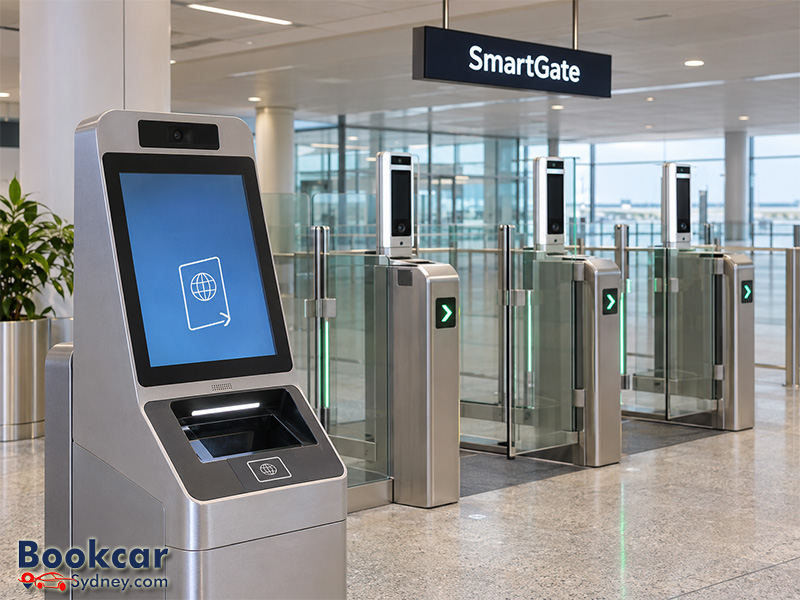
Check whether you can use arrivals SmartGate
You may be able to use arrivals SmartGate with a valid passport if you are at least seven years old and at least 1.1 m tall. Children under 16 must travel with a parent or legal guardian. Unaccompanied children under 16 and domestic passengers on international flights cannot use arrivals SmartGate.
The Australian Border Force (ABF) is trialing broader access, including for travelers without an ePassport. Do not assume that an older nationality list or an ePassport-only rule still determines eligibility. Follow the signs and officers’ directions on arrival; being eligible to try the system does not guarantee automated clearance.
If your family includes someone who cannot use the gates, ask an officer where to go before separating into different lines.
Use arrivals SmartGate in two steps
Have your passport and completed Incoming Passenger Card ready. The kiosk and gate perform different parts of the check, so completing the kiosk stage does not mean you have finished passport control.
Step 1: Complete the kiosk check
- Place your passport photo page face down in the reader, oriented toward the kiosk. Slide it fully in and leave it there while answering the touchscreen questions.
- Remove your face mask, hat, sunglasses, headphones and bulky items around your neck. Follow the prompts for the identity check.
- If the check succeeds, collect the printed ticket and your passport. Keep the ticket with your Incoming Passenger Card for the border officials later.
Religious head coverings may stay on, provided your face is visible from chin to forehead and along both sides. If the kiosk cannot process you, go to manual passport control.
Step 2: Go through the gate
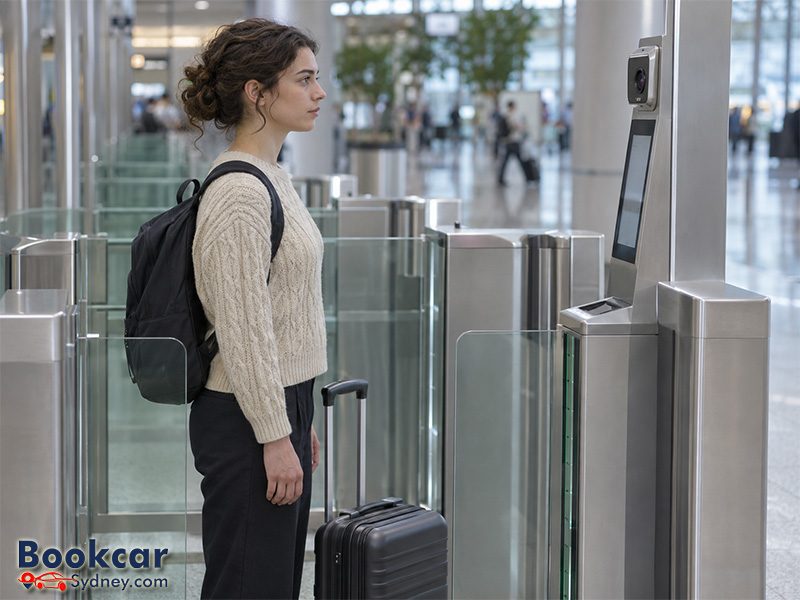
Choose an available gate showing a green arrow. Enter alone, look directly at the camera and follow the screen instructions. Keep your bags close, including any backpack. A second person inside the gate can stop the check.
Keep your face unobstructed while the camera checks your identity. Once the gate opens, continue to baggage claim. If it stays closed, follow directions to the SmartGate Assistance Desk rather than trying to follow another passenger through.
Keep your arrival documents until you reach the exit
After SmartGate, collect your checked bags and continue toward the arrivals exit. Keep your printed ticket and Incoming Passenger Card accessible: you will need to hand them to an ABF or biosecurity officer.
Passing through the gate completes the automated passport-control stage, not every arrival formality. Keep following the directions for customs and biosecurity before leaving the controlled arrivals area.
Use departures SmartGate when leaving Sydney
Departure SmartGates accept valid machine-readable passports. You must be able to follow the instructions independently. If you are traveling with a baby, young child or another person who needs help using the system, go to manual passport control together as directed.
Domestic passengers on an international flight whose ticket has an orange “D” sticker must also use manual processing.
- Scan your passport with the photo page face down, following the reader’s instructions.
- Retrieve your passport when it is returned. Select your flight if prompted.
- Step into the gate and remove items that obscure your face, including sunglasses, hats, face masks and headphones.
- Look at the camera, wait for the gate to open, then leave with your bags.
Religious head coverings are permitted when your face remains visible. If the automated check is unsuccessful, an ABF officer will process you manually. You do not follow the separate arrivals kiosk-and-ticket procedure when departing.
Ask for help if SmartGate does not work
Use the screen’s instructions as your starting point. If you cannot complete them, or an officer directs you elsewhere, switch to assisted processing. A failed automated check tells you to seek help; it does not, by itself, explain the reason.
At T1, passengers with passports that cannot be scanned and those unable to use departures SmartGate without help are directed to an ABF officer. If you expect to need assistance at the airport, discuss your requirements with your airline before travel.
Avoid planning a pickup or connection around an assumed SmartGate processing time. You may need manual processing, and arrivals still need to complete the remaining steps before reaching the public arrivals hall.
Latest Insights
- How to Transfer Between Sydney Airport Terminals
- Where to Meet Arriving Passengers at Sydney Airport
- Which Arrival Declaration Forms Are Required at Sydney Airport?
- How Does Baggage Claim Work at Sydney Airport?
- When Does Sydney Airport Close or Restrict Flights?
- How to Check Sydney Airport Flight Delays and Cancellations
